

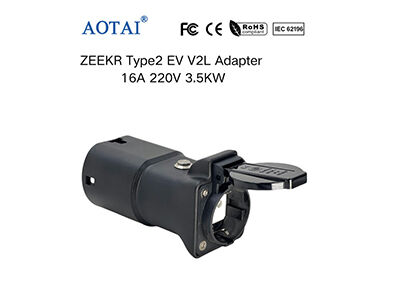
It can be annoying to have a hiccup when you are putting a plug to your electric vehicle, particularly when you are about to go to work or sleep. A seamless connection is required by businesses and individuals who depend on electric vehicle charging equipment. AOTAI INDUSTRY CO., LIMITED realizes the fact that the reliable performance is the thing our clients appreciate, that is why we are concentrated on the strong solutions of home charging, fleet operation, and so on. Although our Type 2 AC adapters are intended to work by simple plug-and-play, there are some cases when connection problems may occur because of the charging environment factors. This guide will take you through the most frequent issues and easy measures to get your charging session back on track within a short time and in a safe manner.
Begin with a Basic Visual Inspection
A simple visual inspection is the best place to start before having to go into any complex diagnostics. Pay close attention to your Type 2 connector adapter and the inlet of the vehicle. Sometimes debris, dust or even small rocks may get into the connector pins making it impossible to carry out an appropriate electronic handshake between the car and the charger. Check the plastic casing of the adapter to identify any form of damage or strains especially in the areas where the lock fits, and cable access points. Reliable charging is based on a clean and undamaged connection. A lot of users who have posted their positive experiences using our products mention about the high quality of the build that contributes to avoiding such physical problems, yet the habit of checking the equipment on a regular basis is a good thing to do to all equipment.
Ensure a Firm and Properly Seated Connection
One of the common reasons behind communication errors is the non-insertion of an adapter to the full extent into the vehicle or charging station. Type 2 connector is constructed to fit and interlock securely and the locking pin will be inserted to ensure that there is a safe connection. When the connection is loose or you do not hear the definite click, take out the adapter and insert it with the constant and firm pressure until it is completely inserted. In some instances, a partial connection can enable power pins to close but the key control pilot circuit will not work, which is the message to the vehicle and the charger that it is safe to start supplying energy. This complete mechanical connection is a simple and fast repair.
Verify the Status Indicators on Your Equipment
The modern charging devices, such as the adapters and connectors that AOTAI offers to the different industries such as the gas stations and the 4S shops, have convenient LED indicators. When you have a connection failure, have a break and observe these lights. An indicator of a particular color or pattern of flashing on the adapter, the charging station, or your car dashboard can be of great help. An example is that a red light could be used to signify a ground fault or an issue with the residual current device, and a slow blinking green light could indicate the unit is waiting to be charged according to the schedule. These signals are your initial diagnostic tool and are interpreted by referring to the basic quick-start guide of your particular model.
Check the Power Supply and Circuit Breakers
The problem with the adapter is sometimes not the adapter itself, but the source of power to which it is attached. In case you have a public charging station, the unit may be unavailable or in the process of repair. Look at the main electrical panel to identify any such tripped circuit breakers or ground fault circuit interrupters (GFCI). The supply can be interrupted by a temporary power surge or a fault on another part of the circuit. It is easy to reset a breaker, and when it goes off again and again when you are trying to charge the device, it suggests that there is something wrong deeper in the electrical system that you should not handle, but rather a highly qualified electrician.
Consider the Vehicle's Charging Settings
Contemporary electric vehicles have a range of different charge options which may occasionally be disruptive to a new adapter. You should also look at the infotainment or charging screen of your vehicle to make sure that you did not schedule a charging time accidentally, or put a maximum current limit too low, or switched off charging where you are. Power can not flow without the vehicle and the charger agreeing on the charging parameters. This communication is transmitted through an adapter itself, thus making it a significant step of the troubleshooting process to make sure that the car is prepared and eager to receive a charge.
When in Doubt, Perform a System Reset
Simple reset can usually fix temporary glitches in communication just as in other electronic devices. In case you have already verified all the physical connections and settings, then attempt to disconnect the Type 2 connector to the vehicle and charging station. Wait one minute or so, but be sure the internal electronics are completely reset and all the charge out of the system is vented. After that, re-attach all of it in the correct sequence, first to the charging station (when it is a tethered cable) or to the adapter itself, and then to the car. This can remove small mistakes in communication hand shake and get normal operation resumed.
With these simple steps, most of the problems that are common with connection can be addressed within a short period of time and you are back on the road with minimum inconvenience. At AOTAI INDUSTRY CO., LIMITED, we will provide support to our partners in home, fleet and commercial applications and with products that provide a stable performance. In case of any issues, do not hesitate to reach out to your assigned sales representative or our support team to get any additional help.